

Charging your Nissan EV Guide
Nissan has teamed up with Wallbox to offer a great deal on a great home charging setup.
South Park Nissan customers will get $150 off MSRP on the Wallbox Pulsar Plus when using this link and their discount code.
Charging your EV is a lot like charging your iPhone – just plug it in at night and it’s ready to go in the morning. The 40A model meets the needs of most EV drivers.
Charging your Nissan EV is quick and easy with four simple steps:
- Make sure the car is in park and turned off.
- Open the charge port cover and open the cap.
- Plug the charger into the charging port.
- When the battery reaches full, your Nissan EV vehicle will stop charging on its own.
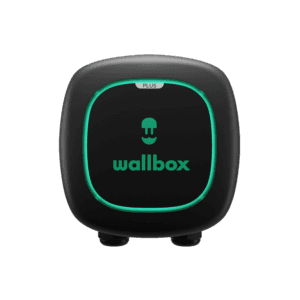
Why the Wallbox Pulsar Plus is right for you:
✓ Level 2 charger rated for indoor or outdoor use
✓ Control your charger usin the myWallbox app
✓ Compatible with Leaf & Ariya (And other EV’s like Tesla, with an adapter)
✓ 3 year warranty from Wallbox
Where do I get my discount code?
- Did you recently purchase a new Nissan EV? Check your email – the first email from Nissan should have your discount code
- Do you have an Ariya reservation? Your 5 digit Reservation ID is your discount code
- Through December 31, 2022, you can use our code – “NISSANEV“
Installation services are also available.